 AI Mute
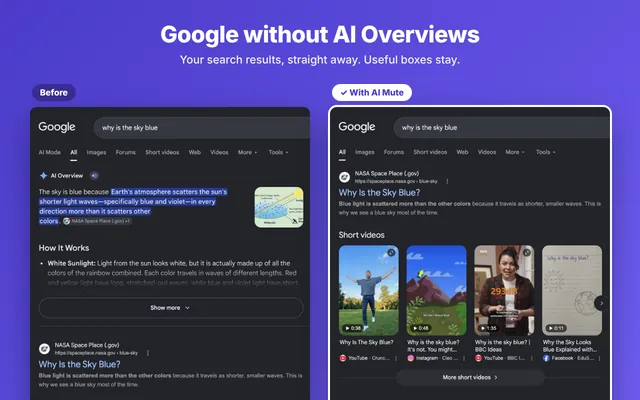
Google Search
AI Overviews and AI Mode
The AI Overview box and the AI Mode tab are gone. Real results show first.
AI Mute hides AI Overviews, AI Mode and Gemini buttons. Your normal results stay. Get your blue links back.
Add to Chrome – it's freeDesktop Chrome · No data collected · No account

Short answer: not in Google's settings. Google has no permanent off switch for AI Overviews. There are two free tricks, but you must use them on every single search.
After you search, click Web under the search box (it may be under More). You get plain links with no AI Overview. Your next search shows the AI again.
Add &udm=14 to the end of a Google search address. Power users set Chrome's search engine to https://www.google.com/search?q=%s&udm=14. It works, but it also removes useful boxes like weather and maps.
That is why we built AI Mute. It is the simple way to turn off AI Overview on Google for every search, not just one. It also lets you turn off AI search on Google (the AI Mode tab), plus the AI buttons on the other sites you use every day. You install it once and forget it.
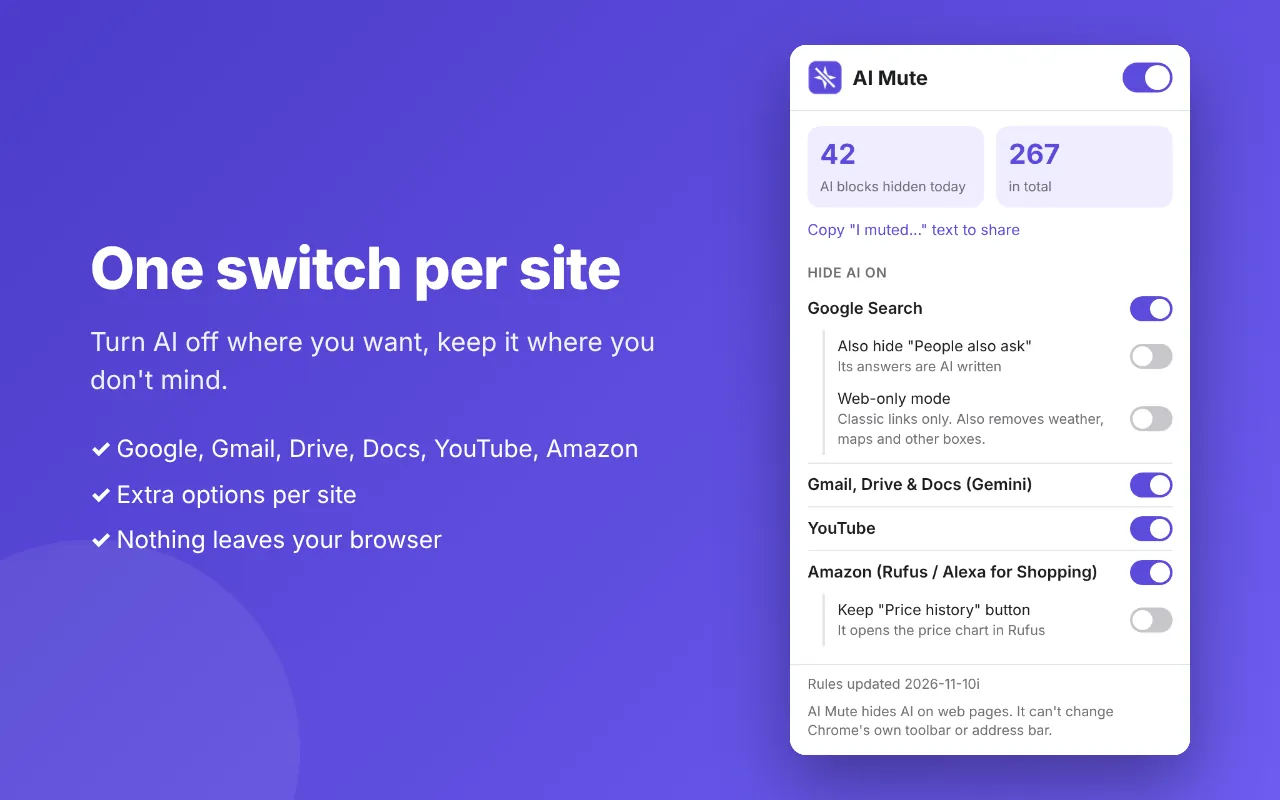
Want to turn off Google AI in more places than Search? One extension covers five. You choose which ones with a switch for each site.
The AI Overview box and the AI Mode tab are gone. Real results show first.
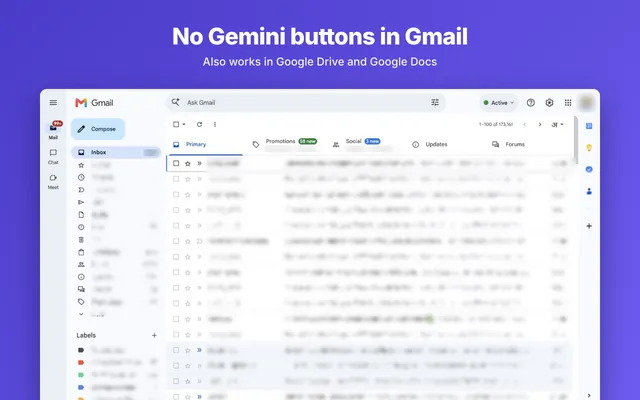
No more Gemini sparkles and side panels while you write and read.

Shop without Rufus. Price, photos and the Buy button stay.
Watch videos without the AI chat button under the player.
Hide the "People also ask" box too, or switch to classic blue links only. Both are off until you turn them on.
It takes about 10 seconds. There is nothing to set up.
Click "Add to Chrome" on the Chrome Web Store page. It's free.
Click the puzzle icon in Chrome, then the pin next to AI Mute. Now the switches are one click away.
Google something. The AI Overview is already gone. That's it.
Want to turn off AI in Google Search without losing anything else? Some blockers hide too much and leave you with an empty page. AI Mute is built to be careful.
AI Mute only looks at a page to find the AI parts and hide them. It does not read, save or send your searches, emails, documents or purchases. There is no sign-up, no ads and no analytics inside the extension. Your switches are saved on your own computer, and uninstalling removes them. Read the privacy policy.
There are three ways to turn off AI Overview: Google's own Web tab, a Search-only extension, or AI Mute. Most tools only clean up Google Search. AI Mute covers the other places where AI keeps showing up.
| What it hides | Manual "Web" tab | Bye Bye, Google AI | AI Mute |
|---|---|---|---|
| AI Overview in Google Search | One search at a time | ✓ | ✓ |
| AI Mode tab | ✗ | ✓ | ✓ |
| Gemini in Gmail, Drive and Docs | ✗ | ✗ | ✓ |
| YouTube "Ask" button | ✗ | ✗ | ✓ |
| Amazon Rufus | ✗ | ✗ | ✓ |
| Works automatically | ✗ | ✓ | ✓ |
| Keeps weather and maps boxes | ✗ | – | ✓ |
| Price | Free | Free | Free |
Based on each tool's own Chrome Web Store description, checked November 2026. Bye Bye, Google AI is a good tool for Google Search. Pick AI Mute if you also want AI gone from Gmail, YouTube and Amazon.
Quick answers about turning off AI on Google.
Not in Google's settings. There is no permanent off switch. You can click the Web tab or add &udm=14 to each search, but you must do it every time. A Chrome extension like AI Mute hides AI Overviews on every search automatically.
Add the free AI Mute extension to Chrome on your computer. It hides AI Overviews, the AI Mode tab and Gemini buttons right away. There is nothing to set up.
Install AI Mute in Chrome on your computer. It turns off AI in Google Search: the AI Overviews box at the top and the AI Mode tab both disappear. If you want them back, flip the Google Search switch off in the AI Mute popup.
For one search, click the Web tab under the search box. For every search, install AI Mute. It hides the AI Overview box and the AI Mode tab but keeps your normal results, weather, maps and dictionary boxes.
AI Mute hides the Gemini buttons in Gmail, Google Drive and Google Docs on desktop Chrome. You can switch this on or off on its own in the AI Mute popup.
No. AI Mute works in Chrome on a computer (Windows, Mac, Linux and ChromeOS). Phone browsers do not support Chrome extensions, and AI Mute can't turn off Gemini on Android. On a phone, tap the Web tab under the search box.
Yes. AI Mute is free, with no account and no ads.
No. AI Mute collects no data. It has no account, no tracking and no analytics. Everything happens inside your browser. Privacy policy.
No. AI Mute only hides a few page parts with small style rules. Pages often feel faster because the AI box no longer loads into view.
No. AI Mute hides AI on web pages. Chrome does not let any extension change its own toolbar or address bar.
Email hi@digitalshekhar.com with the page link. Google changes its pages often, and AI Mute can get new hiding rules within a day without a new install.
One switch. No AI Overviews. No AI Mode. No Gemini buttons. Free, and it works in 10 seconds.
Add to Chrome – it's free